
출시Android
Function Keyboard
A soft keyboard with a scrollable function-key row — Esc, Tab, Ctrl, Alt, arrows, and F1–F12 — for terminal and SSH work, fully offline.
제품 정보
About
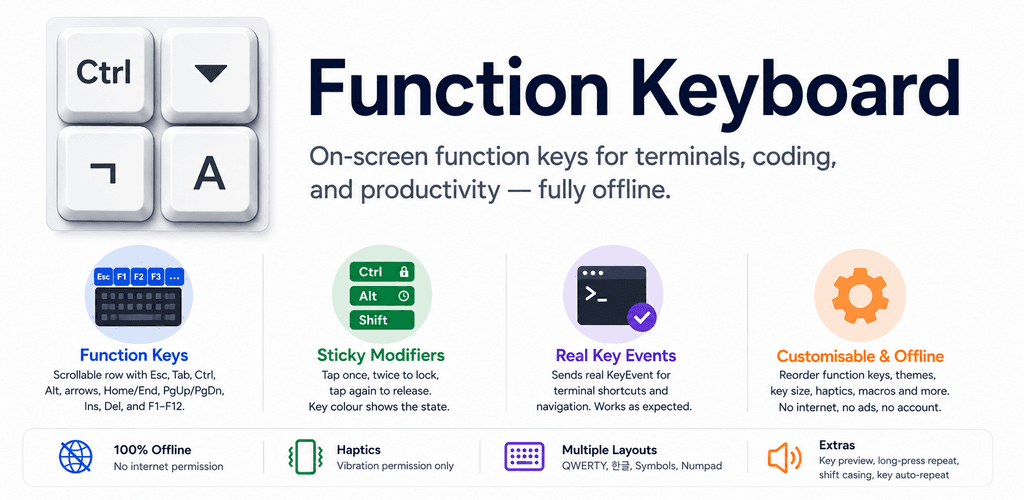
Function Keyboard is an Android input method that puts a hardware keyboard's function keys on screen — a horizontally scrolling function-key row sitting on top of a normal QWERTY layout, just like the extra-keys row in a terminal app. It sends real key events, so terminal shortcuts and navigation work as expected, and it runs entirely on your device with no internet permission.
Features
- Scrollable function-key row: Esc, Tab, Ctrl, Alt, Shift, Meta, arrow keys, Home, End, PgUp, PgDn, Ins, Del, and F1–F12
- Sticky modifiers (Ctrl/Alt/Shift/Meta): tap once to apply to the next key, tap twice to lock, tap again to release — the key colour shows the state
- Real
KeyEventdispatch so terminal shortcuts work (Ctrl+C, Alt+Tab, arrow navigation, F-keys); plain characters are committed as text - English QWERTY, Korean (두벌식), symbols/numbers, and numpad layers with Shift casing, key auto-repeat, and haptics
- Hangul composition automaton with compound vowels/finals and jamo-wise backspace
- Customisable function row — pick which keys appear and reorder them by drag; toggle haptics and long-press repeat, applied live
- Optional one-touch combos (Ctrl+C/V/X, Ctrl+Z/Y, Alt+Tab, and more) and custom macros you build from a label plus a sequence of steps
- Theme (System/Light/Dark), key size (Small/Medium/Large), key preview popup, optional keypress sound, and slide-to-select typing
- Fully offline — no internet, no ads, no account; the only permission is vibration for haptics
설치 및 실행